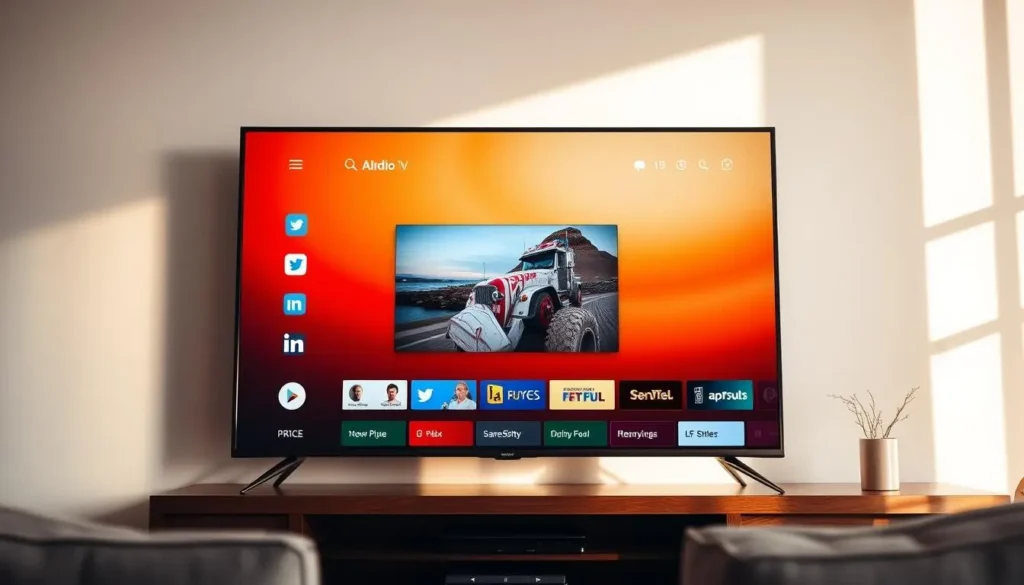
Enjoy IPTV Smarters Pro on Your Smart TV
Discover the ultimate entertainment experience with IPTV Smarters Pro on your Smart TV. This innovative solution allows users to access a vast array of live TV channels and video-on-demand content from the comfort of their own homes.
With an IPTV subscription, users can enjoy their favorite shows, movies, and sports events on a larger screen, enhancing their viewing experience. The compatibility of IPTV Smarters Pro with various Smart TV platforms makes it an ideal choice for those seeking a seamless entertainment solution.
Key Takeaways
- Access a wide range of live TV channels and rich video-on-demand content.
- Watch your favorite movies, series, and sports on a larger screen with stunning clarity.
- Enjoy a fluid, premium viewing experience using IPTV Smarters Pro on your Smart TV.
- Works seamlessly across multiple Smart TV platforms.
- Upgrade your entertainment with a dependable IPTV subscription.
Download IPTV Smarters Pro on Smart TV
Enjoy seamless streaming with our App! This powerful media player supports Live TV, VOD, Series, and TV Catchup, working smoothly on Android Smart TV.

What is IPTV Smarters Pro?
IPTV Smarters Pro is an advanced solution for streaming live TV and on-demand content. It gives users access to a broad collection of channels and media entertainment directly on their preferred devices.
Definition and Core Functionality
IPTV Smarters Pro is an IPTV player application designed to stream live television channels, video-on-demand, and various media formats. Its core capabilities include intuitive interface navigation, support for multiple IPTV subscription services, and consistently high-quality streaming performance.
The application is built to function across many device types, including Smart TVs, making it versatile for different viewing setups.
Evolution and Development History
Since its launch, IPTV Smarters Pro has evolved dramatically, receiving continuous updates and feature enhancements. Originally created as a simple IPTV player, it now includes advanced options like EPG integration, catch-up TV, improved streaming stability, and more.
| Feature | Description | Benefit |
|---|---|---|
| Live TV Streaming | Access to live TV channels | Real-time entertainment |
| Video-on-Demand | Large library of on-demand content | Flexible viewing options |
| EPG Support | Electronic Program Guide | Easier channel browsing |
How to Install IPTV Smarters Pro on Your Smart TV (step by step)
To start enjoying IPTV Smarters Pro on your Smart TV, follow this streamlined installation guide based on your device. The process varies slightly depending on whether you're using a Samsung, LG, or Android TV, but all methods are simple and user-friendly.
Step-by-Step Installation on Samsung Tizen OS
Installation Process for LG WebOS TVs
Setting Up on Android TV and Google TV
Using External Devices: Fire Stick, Roku, & Apple TV
| Smart TV Platform | Installation Steps |
|---|---|
| Samsung Tizen OS | Open Smart Hub → Search → Install IPTV Smarters Pro. |
| LG WebOS | Open LG Content Store → Search → Install app. |
| Android TV / Google TV | Open Google Play Store → Search → Install. |
| External Devices | Use each device’s app store → Search → Install. |
Why Choose IPTV Smarters Pro on Smart TV?
Wide Compatibility
Seamlessly runs on all Smart TV devices, including Samsung, LG, Sony, and other android smart TV.
Customizable Interface
Offers a flexible user interface that allows you to personalize layouts, themes, and settings for a tailored viewing experience.
Access Your Content
Acts as a powerful media player for your IPTV subscription, giving you full control without imposing any content restrictions.
High-Quality Streaming
Designed for smooth, buffer-free playback with optimized performance, delivering a seamless entertainment experience.
Benefits of Using IPTV Smarters Pro on Smart TV
The integration of IPTV Smarters Pro with Smart TV technology brings numerous benefits to users. This combination enhances the overall viewing experience, offering a wide range of content options and cost-effective solutions compared to traditional cable subscriptions.
Enhanced Viewing Experience and Picture Quality
IPTV Smarters Pro on Smart TV provides an enhanced viewing experience with superior picture quality. The app supports various streaming qualities, ensuring that users can enjoy their favorite content in the best possible resolution. This results in a more immersive and engaging viewing experience.
Content Variety and Global Access
One of the significant advantages of IPTV Smarters Pro is its access to a wide variety of content from around the globe. Users can enjoy live TV channels, video-on-demand, and other entertainment options that cater to diverse tastes and preferences. This global access opens up new possibilities for users to explore different cultures through media.
Cost-Effectiveness Compared to Traditional Cable
IPTV Smarters Pro offers a cost-effective alternative to traditional cable subscriptions. By providing a range of content options at competitive prices, users can save money without compromising on the quality of their viewing experience. This makes it an attractive option for those looking to cut down on entertainment expenses.
Smart TV Compatibility with IPTV Smarters Pro
IPTV Smarters Pro offers seamless integration with multiple Smart TV brands, making it a versatile choice for users. This compatibility is crucial for a smooth viewing experience, allowing users to access their favorite content without hassle.
Samsung Smart TVs Compatibility and Performance
Samsung Smart TVs, running on Tizen OS, are fully compatible with IPTV Smarters Pro. Users can enjoy a native app experience, with optimized performance and intuitive navigation. The app is available for download from the Samsung Smart Hub, making installation straightforward.
LG WebOS Smart TVs Integration
LG's WebOS Smart TVs also support IPTV Smarters Pro, providing users with a robust and feature-rich viewing experience. The app is available on the LG Content Store, ensuring easy access and installation. LG WebOS users can enjoy the full range of IPTV Smarters Pro features, including live TV, catch-up TV, and video-on-demand.
Sony and Other Android TV Systems
Sony Smart TVs, along with other Android TV systems, are compatible with IPTV Smarters Pro through the Android TV app. This allows users to leverage the app's advanced features, such as multi-screen viewing and recording capabilities, on their Android TV devices.
Alternative Methods for Non-Compatible Smart TVs
For Smart TVs that are not natively supported by IPTV Smarters Pro, users can employ alternative methods to access the service. One common approach is to use external devices such as Google Chromecast, Amazon Fire TV, or Roku, which can stream content from a mobile device or computer to the TV. Another option is to mirror the screen of an Android or iOS device to the TV using technologies like Miracast or AirPlay.
By supporting a wide range of Smart TV platforms, IPTV Smarters Pro ensures that users can enjoy their preferred viewing experience regardless of their TV brand or operating system.
Prerequisites for Installing IPTV Smarters Pro
To ensure a seamless IPTV Smarters Pro experience, certain prerequisites must be met. Understanding these requirements is crucial for a smooth installation and optimal performance.
Internet Speed and Stability Requirements
A stable and fast internet connection is vital for streaming high-quality content. The recommended internet speed for standard definition (SD) streaming is at least 5 Mbps, while for high definition (HD), it's 10 Mbps, and for ultra-high definition (UHD), it's 25 Mbps or more.
| Streaming Quality | Recommended Internet Speed |
|---|---|
| SD (Standard Definition) | 5 Mbps |
| HD (High Definition) | 10 Mbps |
| UHD (Ultra-High Definition) | 25 Mbps or more |
IPTV Subscription Services and Providers
An IPTV subscription is necessary to access a wide range of channels and content. When selecting an IPTV service provider, consider factors such as content variety, streaming quality, and customer support. It's also essential to check the provider's compatibility with IPTV Smarters Pro.
Some popular IPTV subscription services include a variety of channels and on-demand content. Ensure that your chosen provider offers a stable and reliable service to enjoy uninterrupted streaming.
Setting Up IPTV Smarters Pro for First Use
Setting up IPTV Smarters Pro for the first time is a straightforward process that enhances your viewing experience. To get started, you'll need to create an account, log in, and configure your settings.
Account Creation and Login Process
The first step in setting up IPTV Smarters Pro is creating an account. Launch the app on your Smart TV and navigate to the registration or login section. If you're a new user, you'll need to sign up by providing some basic information such as your name, email address, and password. Once you've completed the registration, you can log in using your credentials.
Key Details for Account Creation:
| Field | Description |
|---|---|
| Name | Your full name |
| Email Address | A valid email address for account verification |
| Password | A secure password for your account |
Entering M3U URLs and Subscription Credentials
After logging in, you'll need to enter your M3U URL and subscription credentials. The M3U URL is provided by your IPTV service provider and contains the streaming links to your subscribed channels. Enter this URL in the designated field within the app. Additionally, you may need to input your subscription credentials, such as a username and password, to authenticate your account.
"The M3U URL is the backbone of your IPTV service, providing access to a wide range of channels and content." - IPTV Expert
Initial Configuration and Optimization Settings
Once you've entered your M3U URL and subscription credentials, you can proceed to configure the app's settings. This includes adjusting the video quality, setting up parental controls, and customizing the user interface to your liking. Optimizing these settings ensures a smooth and enjoyable viewing experience.
For example, you can adjust the buffer settings to improve streaming stability. A quote from an IPTV user highlights the importance of this: "Adjusting the buffer settings made a significant difference in reducing buffering issues."
IPTV Smarters Pro on Smart TV: Interface Navigation
Enjoy a streamlined viewing experience with IPTV Smarters Pro on your Smart TV, featuring an intuitive and responsive interface. The app is designed to make navigation easy, allowing users to quickly find and access their preferred content.
Main Dashboard and Menu Structure
The main dashboard of IPTV Smarters Pro on your Smart TV serves as the central hub for navigating through various features and content. It is typically organized into categories such as Live TV, Video on Demand (VOD), and settings. The menu is designed to be user-friendly, with clear labels and easy-to-understand icons.
Channel and Content Navigation Techniques
Navigating through channels and content is straightforward with IPTV Smarters Pro. Users can browse through different categories, use the search function to find specific content, or create favorite lists for quick access. The app also supports Electronic Program Guide (EPG) for live TV, making it easier to plan your viewing schedule.
Customizing Settings and User Preferences
IPTV Smarters Pro allows users to customize their viewing experience by adjusting various settings. This includes choosing from different display themes, setting up parental controls, and configuring audio and subtitle preferences. Users can also personalize their home screen by adding or removing categories based on their preferences.
| Feature | Description | Benefit |
|---|---|---|
| Main Dashboard | Central hub for navigation | Easy access to content |
| Channel Navigation | Browse or search for channels | Quickly find preferred content |
| Customization Options | Personalize display and settings | Enhanced viewing experience |
Content Types and Streaming Options
With IPTV Smarters Pro, users can access a diverse range of content types and streaming options. This variety is one of the key benefits of using the IPTV Smarters Pro service on a Smart TV.
Live TV Channels and Categories
IPTV Smarters Pro offers an extensive selection of live TV channels, catering to various interests and demographics. Users can browse through different categories, such as sports, news, entertainment, and more, to find their preferred channels.
Video-on-Demand and Movie Libraries
In addition to live TV, IPTV Smarters Pro provides access to video-on-demand content and vast movie libraries. This feature allows users to watch their favorite movies and TV shows at their convenience, without being tied to a broadcast schedule.
Series and TV Show Collections
The platform also includes comprehensive collections of series and TV shows. Users can explore various genres and discover new titles, making it easy to stay up-to-date with their favorite shows.
Managing Your Media Library
Managing your media library effectively is crucial for an enhanced viewing experience with IPTV Smarters Pro. The app provides several features that make it easy to organize and access your favorite content.
Creating and Organizing Favorites Lists
One of the key features of IPTV Smarters Pro is the ability to create and organize favorites lists. This allows users to categorize channels and content based on their preferences, making it easier to find what they want to watch. To create a favorites list, users can simply navigate to the channel they wish to add and select the "Add to Favorites" option.
Benefits of Favorites Lists:
- Quick access to frequently watched channels
- Personalized content recommendations
- Easy categorization of channels by genre or type
Using the Electronic Program Guide (EPG)
The Electronic Program Guide (EPG) is another valuable feature that enhances the viewing experience. It provides a comprehensive schedule of upcoming programs, allowing users to plan their viewing in advance. The EPG is fully integrated with IPTV Smarters Pro, ensuring that users have access to the latest program information.
Key Features of the EPG:
- Detailed program schedules
- Real-time updates
- Program descriptions and highlights
Search and Content Discovery Features
IPTV Smarters Pro also includes robust search and content discovery features, making it easy for users to find new content or locate specific channels and programs. The search function is intuitive, allowing users to quickly enter keywords or channel names to find what they're looking for.
| Feature | Description | Benefit |
|---|---|---|
| Search Function | Intuitive search bar for finding channels and content | Quick access to desired content |
| Content Recommendations | Personalized suggestions based on viewing history | Discovery of new content |
| Genre-Based Browsing | Browse content by genre or category | Easy exploration of different content types |
Advanced Features of IPTV Smarters Pro
IPTV Smarters Pro is packed with advanced features that significantly enhance the viewing experience. These features are designed to provide users with more control and flexibility over their entertainment.
Multi-Screen and Picture-in-Picture Viewing
One of the standout features of IPTV Smarters Pro is its support for multi-screen and picture-in-picture viewing. This allows users to watch multiple channels or streams simultaneously, making it easier to keep up with different programs or events at the same time.
For example, sports enthusiasts can watch a live game on one screen while keeping an eye on other channels for news updates or analysis on another.
Recording Live TV and Scheduling
IPTV Smarters Pro also enables users to record live TV and schedule recordings in advance. This feature is particularly useful for capturing favorite shows or events that may conflict with other commitments.
The scheduling feature allows users to plan their viewing in advance, ensuring they never miss their favorite programs.
Catch-Up TV and Time-Shifted Viewing
Another advanced feature is catch-up TV and time-shifted viewing. This allows users to watch content that has already been broadcast, giving them the flexibility to watch their favorite shows at a more convenient time.
| Feature | Description | Benefit |
|---|---|---|
| Multi-Screen Viewing | Watch multiple channels simultaneously | Enhanced viewing experience |
| Recording Live TV | Record live TV and schedule recordings | Never miss favorite shows |
| Catch-Up TV | Watch previously broadcast content | Flexibility in viewing schedule |
These advanced features make IPTV Smarters Pro a powerful tool for managing and enjoying television content.
Customizing Your IPTV Smarters Pro Experience
IPTV Smarters Pro offers a range of customization options to enhance your viewing experience. By personalizing the application, you can create a more enjoyable and tailored environment for watching your favorite content.
Visual Themes and Display Customization
The application allows users to change visual themes and customize the display to suit their preferences. This includes adjusting the layout, selecting different themes, and modifying other visual elements to create a personalized look.
Key customization options include:
- Theme selection
- Layout adjustments
- Display settings
Setting Up Parental Controls and Content Filtering
IPTV Smarters Pro also provides features for setting up parental controls and content filtering. This is particularly useful for households with children, allowing parents to restrict access to certain types of content.
| Feature | Description |
|---|---|
| Parental Controls | Restrict access to mature content |
| Content Filtering | Filter content based on categories |
Language and Subtitle Preferences
Users can also customize language and subtitle preferences to suit their needs. This includes selecting preferred audio languages and subtitle options, making it easier to enjoy content in the user's preferred language.
Available settings include:
- Audio language selection
- Subtitle options
Optimizing Performance and Streaming Quality
For the best IPTV Smarters Pro experience, users need to optimize their streaming quality. A high-quality stream is essential for enjoying your favorite shows and movies without interruptions.
To achieve this, it's crucial to address common issues that can affect streaming performance. One of the most frustrating problems is buffering, which can be caused by a variety of factors including internet speed and network congestion.
Resolving Buffering and Streaming Issues
Buffering can significantly degrade the viewing experience. To resolve buffering issues, users should first check their internet speed to ensure it meets the minimum requirements for streaming. Additionally, reducing the number of devices connected to the same network can help alleviate congestion and improve streaming quality.
Another effective strategy is to adjust the video quality settings within IPTV Smarters Pro. Lowering the video quality can reduce the bandwidth required, thus minimizing the likelihood of buffering.
Video Quality and Bandwidth Management
Managing video quality and bandwidth is key to a smooth streaming experience. IPTV Smarters Pro allows users to adjust these settings to suit their internet connection. For instance, if your internet plan can't handle high-definition streaming, you can switch to a lower quality setting to prevent buffering.
It's also beneficial to use a wired Ethernet connection instead of Wi-Fi, as it provides a more stable and faster connection. This can significantly enhance the overall streaming quality and reduce buffering issues.
By implementing these strategies, users can enjoy a more seamless and high-quality streaming experience with IPTV Smarters Pro on their Smart TV.
Troubleshooting Common IPTV Smarters Pro Issues
Users of IPTV Smarters Pro may face several common problems that can be resolved with the right troubleshooting techniques. Understanding these issues and their solutions can significantly enhance the overall viewing experience.
Connection and Network-Related Problems
One of the most common issues users face is related to connection and network problems. Ensuring a stable internet connection is crucial for smooth streaming.
Check your internet speed: IPTV Smarters Pro requires a minimum internet speed of 5 Mbps for SD content and 25 Mbps for HD content.
If you're experiencing buffering or lag, try restarting your router or checking your network settings.
Content Playback and Loading Failures
Sometimes, users may encounter issues with content playback or loading failures. This can be due to various factors, including server issues on the IPTV provider's end or problems with the M3U playlist.
- Check the IPTV provider's server status for any reported issues.
- Verify that your M3U playlist URL is correct and functioning.
App Stability and System Compatibility Issues
App stability and system compatibility are also crucial for a seamless IPTV Smarters Pro experience. Ensure your Smart TV's operating system is up-to-date and compatible with the app.
| Issue | Solution |
|---|---|
| Buffering or Lag | Check internet speed, restart router |
| Content Playback Failure | Check IPTV provider's server status, verify M3U URL |
| App Crashing | Update Smart TV OS, reinstall IPTV Smarters Pro |
By following these troubleshooting steps, users can resolve common issues and enjoy a smoother IPTV Smarters Pro experience.
Conclusion
IPTV Smarters Pro on Smart TV offers an unparalleled entertainment experience, providing users with a wide range of content, a user-friendly interface, and advanced features. By following the guidelines and tips provided in this article, users can maximize their streaming quality and enjoy a seamless viewing experience.
The combination of IPTV Smarters Pro and Smart TV technology creates a powerful entertainment solution. With the ability to access live TV, video-on-demand, and more, users can tailor their viewing experience to their preferences. Whether you're a seasoned IPTV user or just starting out, IPTV Smarters Pro is an excellent choice for enhancing your entertainment experience.
To get the most out of IPTV Smarters Pro, ensure your Smart TV is compatible and your internet connection is stable. By optimizing your setup and exploring the app's features, you can enjoy a superior streaming quality and a more engaging entertainment experience.
FAQ
Find clear answers to the most common questions about IPTV Smarters Pro on Smart TV, including installation, compatibility, features, and troubleshooting.
IPTV Smarters Pro is an innovative IPTV player application that allows users to stream live TV channels, video-on-demand content, and other media to their devices.
IPTV Smarters Pro is compatible with a range of Smart TV platforms, including Samsung, LG, and Sony Android TV systems. You can check the compatibility of your Smart TV on the official IPTV Smarters Pro website.
The installation process varies depending on your TV's operating system. You can refer to the step-by-step guides for installing IPTV Smarters Pro on Samsung Tizen OS, LG WebOS TVs, and Android TV/Google TV.
A stable internet connection with a minimum speed of 5 Mbps is recommended for smooth streaming. For high-definition streaming, a faster speed is required.
Yes, you can customize the IPTV Smarters Pro interface by changing visual themes, display settings, and language preferences.
Common issues such as network problems, content playback failures, or app stability issues can be resolved by following the troubleshooting guide.
Yes, IPTV Smarters Pro offers a recording feature that allows you to capture live TV and schedule recordings.
Yes, IPTV Smarters Pro is available on popular devices such as Fire Stick, Roku, and Apple TV.
You can manage your media library using favorites lists, electronic program guide (EPG), and content discovery tools.
It offers enhanced viewing, global content access, and cost-effectiveness compared to traditional cable TV.
Yes, IPTV Smarters Pro can be used across Smart TVs, smartphones, tablets, and other supported devices.